Shared intel and kingdom planning for utopia-game.com.
Shared intel for your kingdom.
Sign in with your kingdom key if you already have one. If not, set Utopia to send intel here and the site will turn your kingdom’s usual browsing into a shared record of targets, news, and state.
Automatic ingest from normal Utopia browsing
Point your kingdom at one endpoint and the app captures SoT, SoM, SoS, Survey, Infiltrate, kingdom pages, kingdom news, and self intel as people play.
Views built for decisions, not raw dumps
Browse kingdom-wide province tables, gains matchups, thievery targets, province details, and history without hand-copying intel between tabs and spreadsheets.
Shared intel with kingdom-key access control
Every query is partitioned by your kingdom key, so members see the intel that belongs to their kingdom without mixing data across groups.
Sign in here and you will land in your bound kingdom immediately if the site has already seen a self throne page for your key.
The same key is also used in Utopia’s “Send intel to your own Intel site” setting. Keep it secret inside your kingdom.
- Age 116 mechanics
- Updated for the current age. Age 116 guide
- Gains estimates
- Accounts for relations, war state, castles, science, barrier ritual, and more.
- Thievery matrix
- Per-province estimates using current thievery formulas and expected gains.
- Kingdom news
- Ingested automatically, with filters for date, province, and related views.
- Historic kingdom trends
- Easily see kingdom trends over time, and compare them with other kingdoms for war management and more.
- Custom saved views
- Mix and match province-table columns, then keep the layouts you use most.
- Province detail
- Military, resources, sciences, buildings, armies, and effects in one place.
- Derived metrics
- TPA, WPA, breakability, population, and other same-tick calculations.
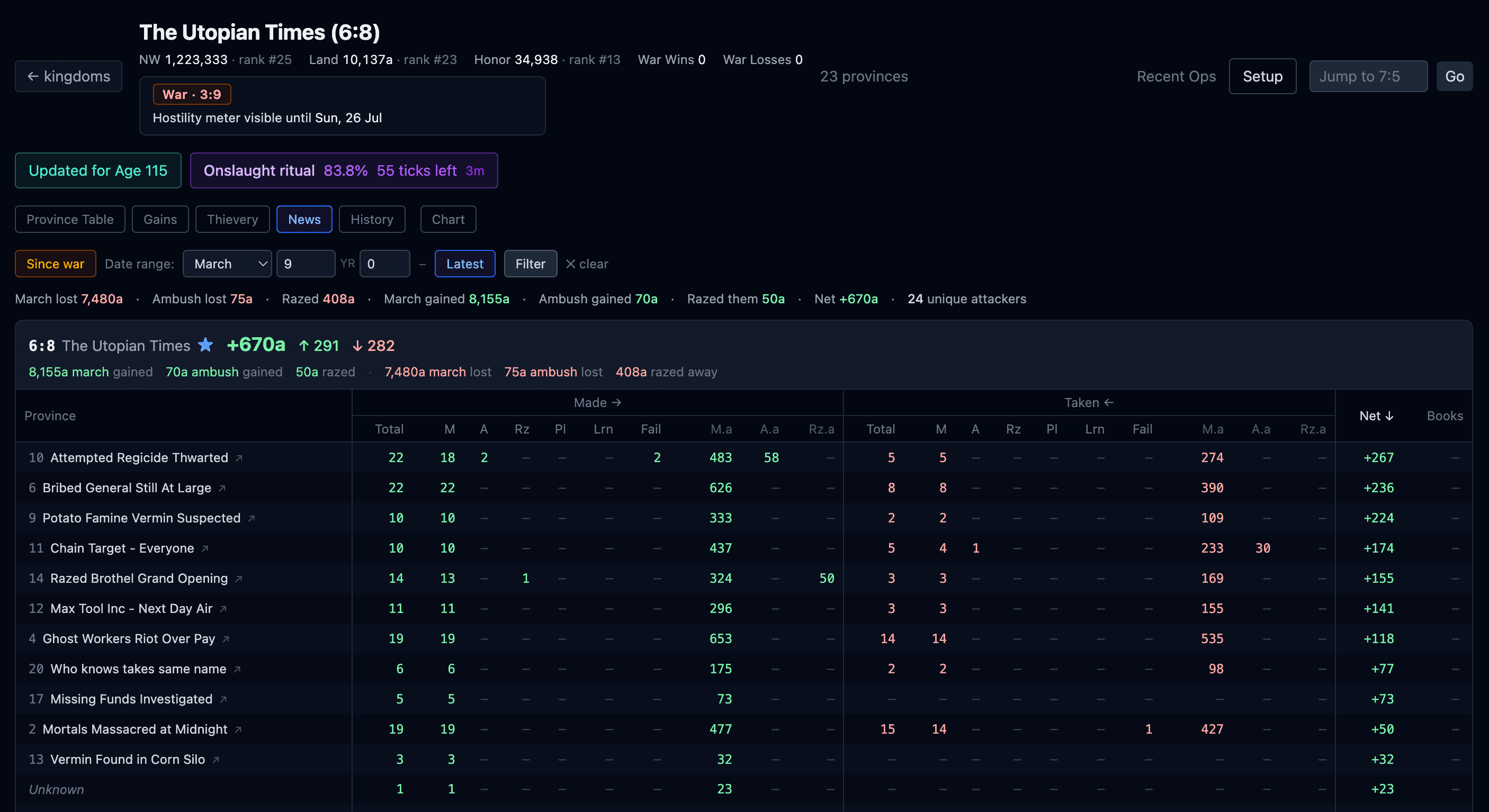
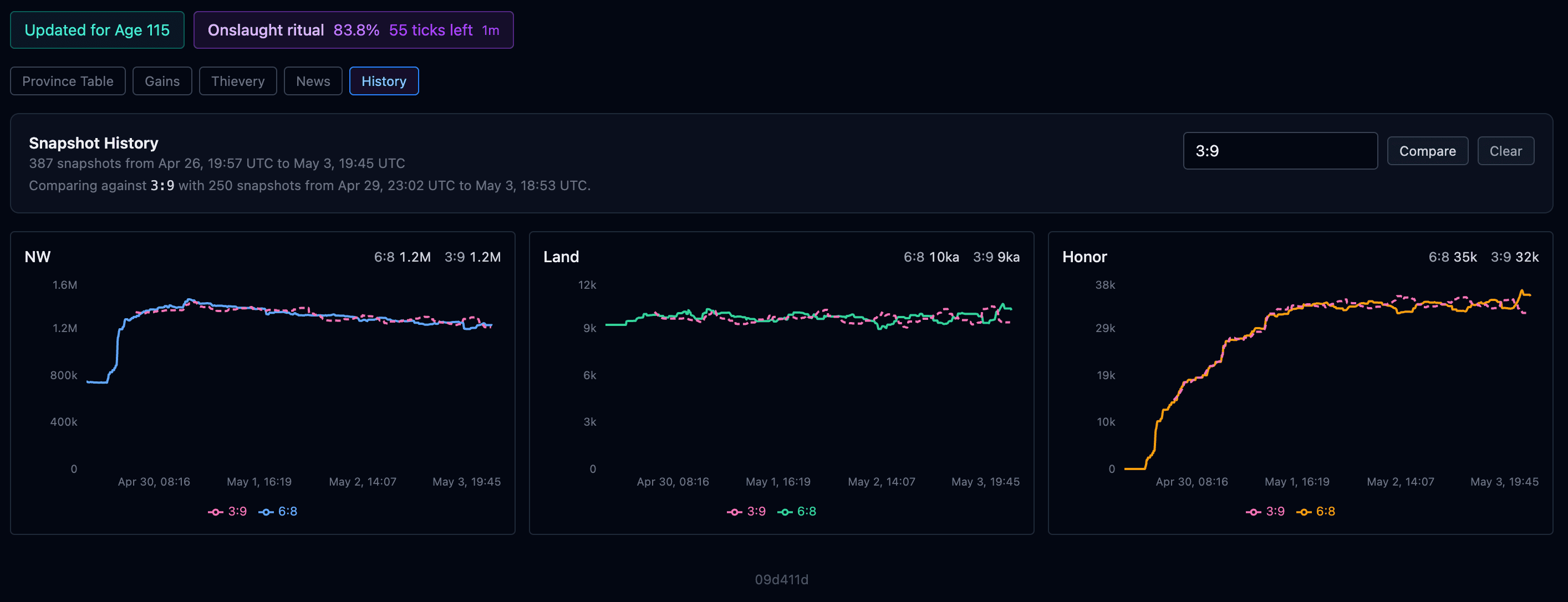
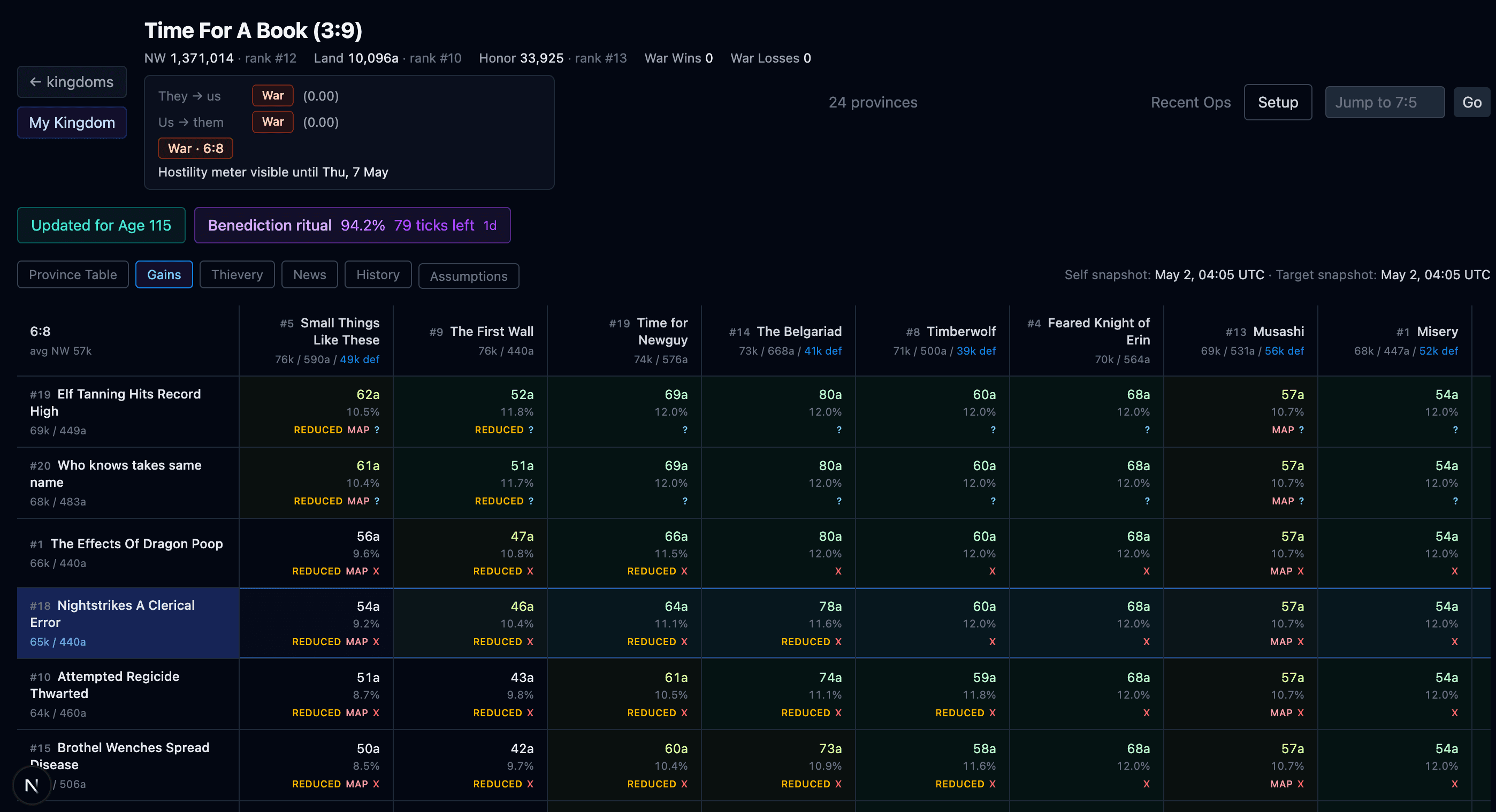
Kingdom news — combat events broken down by province, with march gains, ambushes, and raze totals at a glance.
If you do not already have a kingdom key, decide on one with your kingdom, sign in here once, then configure the game to post intel to this endpoint.
Chaos Intel Setup
Configure your Utopia client to send intel to this site:
- In-game, go to Preferences.
- Find Send intel to your own Intel site and set the URL to
https://chaos-intel.com/api/intel. - Set the key to the same value you used to log in here. This is how the site knows which intel belongs to your kingdom. Treat this key as a secret and only share it inside your kingdom.
- Make sure Ajax mode is disabled in Bot Prefs, otherwise requests may not send reliably.
Once configured, intel will appear here automatically as your kingdom members browse the game.